
Accessible Contact Form (ARIA)
A contact form built with accessibility as the primary concern. Includes proper <label> association, aria-required and aria-describedby attributes, visible focus rings, error announcement patterns, and keyboard-friendly navigation. Meets WCAG 2.1 AA standards. Use this as a starting point for any form that needs to be accessible.
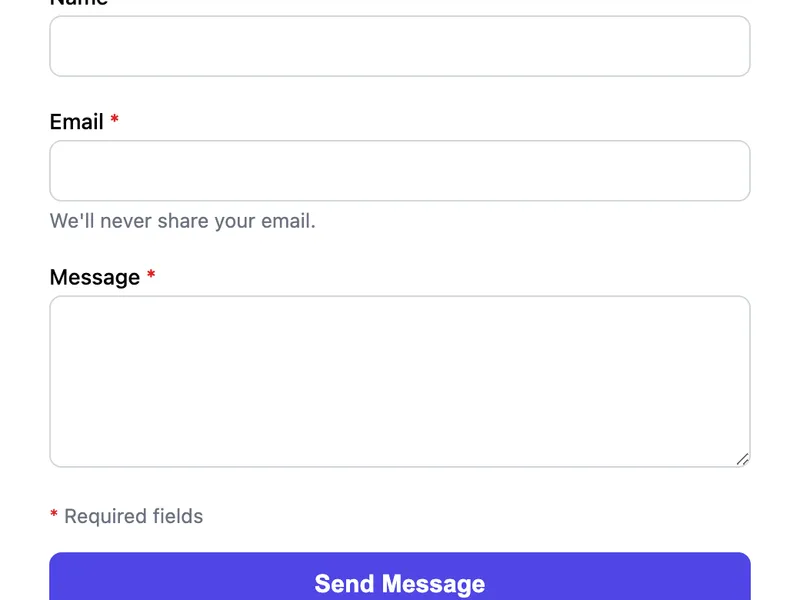
Template Code
<form action="https://app.formwit.com/api/s/YOUR_FORM_ID" method="POST"
  style="max-width:480px;margin:0 auto;font-family:system-ui,sans-serif"
  novalidate>

  <div style="margin-bottom:20px">
    <label for="name" style="display:block;margin-bottom:4px;font-weight:500;font-size:14px">
      Name <span aria-hidden="true" style="color:#dc2626">*</span>
    </label>
    <input type="text" id="name" name="name" required aria-required="true"
      autocomplete="name"
      style="width:100%;padding:10px 12px;border:1px solid #d1d5db;border-radius:8px;font-size:16px;box-sizing:border-box" />
    <p id="name-error" role="alert" style="display:none;color:#dc2626;font-size:13px;margin:4px 0 0"></p>
  </div>

  <div style="margin-bottom:20px">
    <label for="email" style="display:block;margin-bottom:4px;font-weight:500;font-size:14px">
      Email <span aria-hidden="true" style="color:#dc2626">*</span>
    </label>
    <input type="email" id="email" name="email" required aria-required="true"
      autocomplete="email" aria-describedby="email-hint"
      style="width:100%;padding:10px 12px;border:1px solid #d1d5db;border-radius:8px;font-size:16px;box-sizing:border-box" />
    <p id="email-hint" style="font-size:13px;color:#6b7280;margin:4px 0 0">We'll never share your email.</p>
    <p id="email-error" role="alert" style="display:none;color:#dc2626;font-size:13px;margin:4px 0 0"></p>
  </div>

  <div style="margin-bottom:20px">
    <label for="message" style="display:block;margin-bottom:4px;font-weight:500;font-size:14px">
      Message <span aria-hidden="true" style="color:#dc2626">*</span>
    </label>
    <textarea id="message" name="message" rows="5" required aria-required="true"
      style="width:100%;padding:10px 12px;border:1px solid #d1d5db;border-radius:8px;font-size:16px;box-sizing:border-box;resize:vertical"></textarea>
    <p id="message-error" role="alert" style="display:none;color:#dc2626;font-size:13px;margin:4px 0 0"></p>
  </div>

  <!-- Honeypot: hidden from both visual users and screen readers -->
  <div style="position:absolute;left:-9999px" aria-hidden="true">
    <input type="text" name="_gotcha" tabindex="-1" autocomplete="off" />
  </div>

  <p style="font-size:13px;color:#6b7280;margin-bottom:16px">
    <span aria-hidden="true" style="color:#dc2626">*</span> Required fields
  </p>

  <button type="submit"
    style="width:100%;padding:12px;background:#4f46e5;color:white;border:none;border-radius:8px;font-size:16px;font-weight:600;cursor:pointer">
    Send Message
  </button>
</form>

<style>
  /* Visible focus rings for keyboard navigation */
  input:focus, textarea:focus, button:focus {
    outline: 2px solid #4f46e5;
    outline-offset: 2px;
  }
  /* Error state styling */
  input[aria-invalid="true"], textarea[aria-invalid="true"] {
    border-color: #dc2626;
  }
</style>
Want to customize?
Build your own form visually with our free HTML form generator.
Try the Form Generator →Use cases
- Government and public sector websites (Section 508 compliance)
- Websites required to meet WCAG 2.1 AA standards
- Inclusive portfolio and business sites
- Any form where accessibility is a priority
Customization tips
- Add JavaScript validation that sets
aria-invalid="true"and shows the[role="alert"]error messages - The honeypot field uses
aria-hidden="true"and off-screen positioning — accessible to neither users nor screen readers - Add
autocompleteattributes to all fields for autofill support (e.g.autocomplete="tel"for phone) - Test with a screen reader (VoiceOver, NVDA) to verify the form is fully navigable
Related guide
Want a step-by-step walkthrough? Read the full Spam Protection Guide.
Related templates
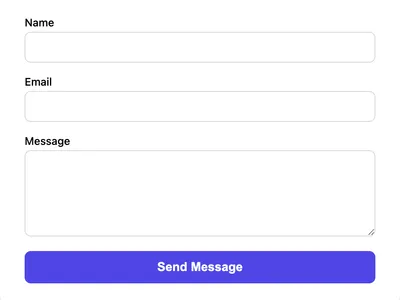
Styled Contact Form (CSS)
A clean, styled contact form using vanilla CSS. Responsive layout with proper spacing, focus states, and a polished look.
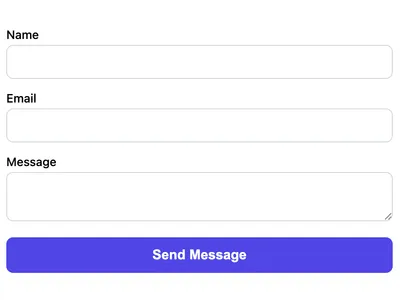
Basic Contact Form
A minimal HTML contact form with name, email, and message fields. Works on any website with no CSS framework required.
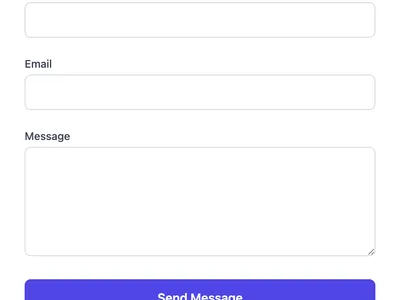
Tailwind CSS Contact Form
A contact form styled with Tailwind CSS utility classes. Drop this into any Tailwind project for a polished look.
Frequently asked questions
What makes this form accessible?
for/id, aria-required for required fields, aria-describedby for help text, role="alert" for error messages, visible focus rings, and an accessible honeypot that's hidden from screen readers. Does the honeypot field affect accessibility?
aria-hidden="true" and absolute off-screen positioning, so screen readers skip it entirely. Bots still fill it, triggering spam detection. How do I add client-side validation?
aria-invalid="true" on invalid fields and update the [role="alert"] paragraph with the error message. Screen readers will announce the error automatically.Get your form working in 30 seconds
- No credit card required
- Unlimited forms
- 100 submissions/month free