
Booking Request Form
A booking request form for service-based businesses. Includes fields for preferred date, time, service type, and optional notes. This form collects booking requests, and you confirm or schedule appointments manually. Great for consultants, salons, clinics, tutors, and any business that takes appointments.
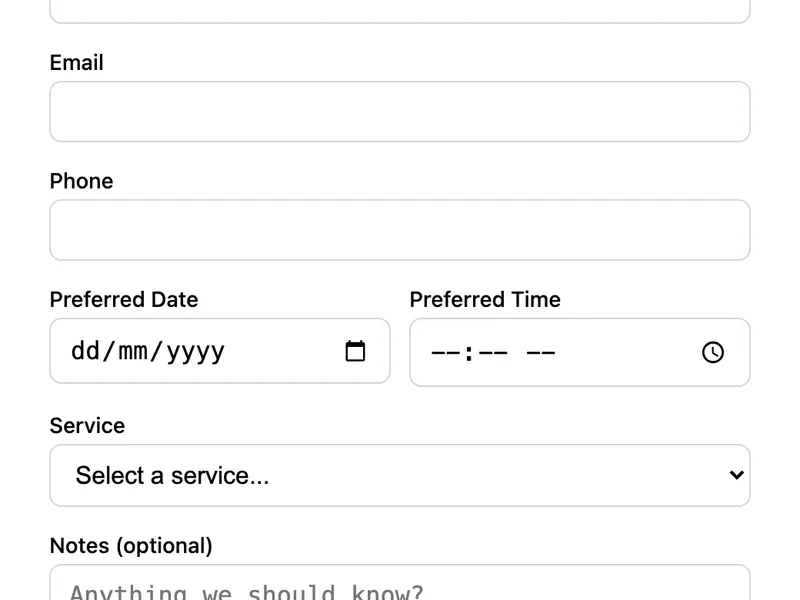
Template Code
<form action="https://app.formwit.com/api/s/YOUR_FORM_ID" method="POST"
  style="max-width:480px;margin:0 auto;font-family:system-ui,sans-serif">
  <h2 style="margin:0 0 4px;font-size:22px;font-weight:700">Request a Booking</h2>
  <p style="margin:0 0 20px;font-size:15px;color:#6b7280">Fill out the form and we'll confirm your appointment.</p>

  <div style="margin-bottom:16px">
    <label for="name" style="display:block;margin-bottom:4px;font-weight:500;font-size:14px">Full Name</label>
    <input type="text" id="name" name="name" required
      style="width:100%;padding:10px 12px;border:1px solid #d1d5db;border-radius:8px;font-size:16px;box-sizing:border-box" />
  </div>

  <div style="margin-bottom:16px">
    <label for="email" style="display:block;margin-bottom:4px;font-weight:500;font-size:14px">Email</label>
    <input type="email" id="email" name="email" required
      style="width:100%;padding:10px 12px;border:1px solid #d1d5db;border-radius:8px;font-size:16px;box-sizing:border-box" />
  </div>

  <div style="margin-bottom:16px">
    <label for="phone" style="display:block;margin-bottom:4px;font-weight:500;font-size:14px">Phone</label>
    <input type="tel" id="phone" name="phone" required
      style="width:100%;padding:10px 12px;border:1px solid #d1d5db;border-radius:8px;font-size:16px;box-sizing:border-box" />
  </div>

  <div style="display:flex;gap:12px;margin-bottom:16px">
    <div style="flex:1">
      <label for="date" style="display:block;margin-bottom:4px;font-weight:500;font-size:14px">Preferred Date</label>
      <input type="date" id="date" name="date" required
        style="width:100%;padding:10px 12px;border:1px solid #d1d5db;border-radius:8px;font-size:16px;box-sizing:border-box" />
    </div>
    <div style="flex:1">
      <label for="time" style="display:block;margin-bottom:4px;font-weight:500;font-size:14px">Preferred Time</label>
      <input type="time" id="time" name="time" required
        style="width:100%;padding:10px 12px;border:1px solid #d1d5db;border-radius:8px;font-size:16px;box-sizing:border-box" />
    </div>
  </div>

  <div style="margin-bottom:16px">
    <label for="service" style="display:block;margin-bottom:4px;font-weight:500;font-size:14px">Service</label>
    <select id="service" name="service" required
      style="width:100%;padding:10px 12px;border:1px solid #d1d5db;border-radius:8px;font-size:16px;box-sizing:border-box;background:white">
      <option value="">Select a service...</option>
      <option value="Consultation">Consultation</option>
      <option value="Follow-up">Follow-up</option>
      <option value="Assessment">Assessment</option>
      <option value="Other">Other</option>
    </select>
  </div>

  <div style="margin-bottom:16px">
    <label for="notes" style="display:block;margin-bottom:4px;font-weight:500;font-size:14px">Notes (optional)</label>
    <textarea id="notes" name="notes" rows="3" placeholder="Anything we should know?"
      style="width:100%;padding:10px 12px;border:1px solid #d1d5db;border-radius:8px;font-size:16px;box-sizing:border-box;resize:vertical"></textarea>
  </div>

  <input type="text" name="_gotcha" style="display:none" tabindex="-1" autocomplete="off" />

  <button type="submit"
    style="width:100%;padding:12px;background:#4f46e5;color:white;border:none;border-radius:8px;font-size:16px;font-weight:600;cursor:pointer">
    Request Booking
  </button>
</form>
Want to customize?
Build your own form visually with our free HTML form generator.
Try the Form Generator →Use cases
- Consulting and coaching businesses
- Hair salons, spas, and beauty services
- Medical or dental offices
- Tutoring and teaching services
Customization tips
- Update the service dropdown options to list your actual services
- Add a
minattribute to the date input to prevent past dates - Add a duration dropdown if you offer different session lengths
- Use a
redirect_tohidden field to send users to a "booking received" confirmation page
Related guide
Want a step-by-step walkthrough? Read the full Online Contact Form Guide.
Related templates
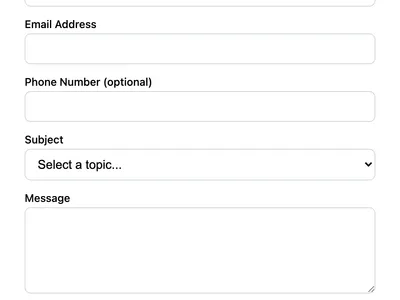
Multi-Field Contact Form
A contact form with phone number, subject dropdown, and message fields. Ideal for business websites that need structured inquiries.
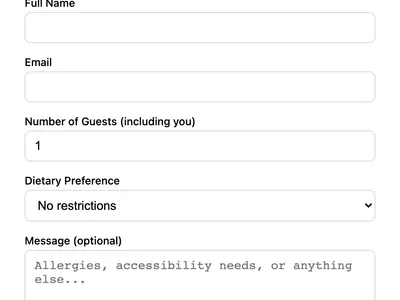
Event RSVP Form
Collect event RSVPs with guest count, dietary preferences, and special requests. Ideal for weddings, meetups, and corporate events.
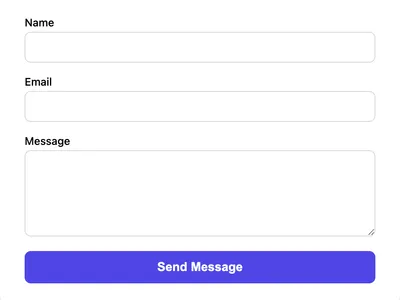
Styled Contact Form (CSS)
A clean, styled contact form using vanilla CSS. Responsive layout with proper spacing, focus states, and a polished look.
Frequently asked questions
Does this form check for availability?
Can I set minimum or maximum dates?
min="2026-01-01" and max="2026-12-31" attributes to the date input to restrict the selectable range. How do I get notified of new bookings?
Get your form working in 30 seconds
- No credit card required
- Unlimited forms
- 100 submissions/month free