
Feedback Form
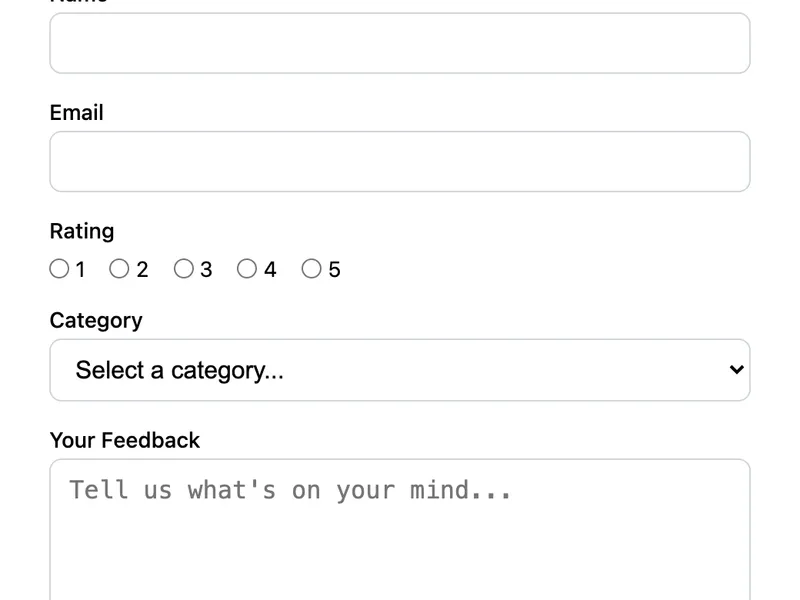
A structured feedback form with a 5-point rating scale, category dropdown, and open-ended message field. Helps you collect actionable feedback from users or customers. The rating uses radio buttons for easy mobile tapping, and the category dropdown helps you sort and prioritize responses.
Template Code
<form action="https://app.formwit.com/api/s/YOUR_FORM_ID" method="POST"
  style="max-width:480px;margin:0 auto;font-family:system-ui,sans-serif">
  <h2 style="margin:0 0 4px;font-size:22px;font-weight:700">Share Your Feedback</h2>
  <p style="margin:0 0 20px;font-size:15px;color:#6b7280">We'd love to hear what you think.</p>

  <div style="margin-bottom:16px">
    <label for="name" style="display:block;margin-bottom:4px;font-weight:500;font-size:14px">Name</label>
    <input type="text" id="name" name="name" required
      style="width:100%;padding:10px 12px;border:1px solid #d1d5db;border-radius:8px;font-size:16px;box-sizing:border-box" />
  </div>

  <div style="margin-bottom:16px">
    <label for="email" style="display:block;margin-bottom:4px;font-weight:500;font-size:14px">Email</label>
    <input type="email" id="email" name="email" required
      style="width:100%;padding:10px 12px;border:1px solid #d1d5db;border-radius:8px;font-size:16px;box-sizing:border-box" />
  </div>

  <div style="margin-bottom:16px">
    <label style="display:block;margin-bottom:8px;font-weight:500;font-size:14px">Rating</label>
    <div style="display:flex;gap:16px;flex-wrap:wrap">
      <label style="display:flex;align-items:center;gap:4px;font-size:14px;cursor:pointer">
        <input type="radio" name="rating" value="1" required /> 1
      </label>
      <label style="display:flex;align-items:center;gap:4px;font-size:14px;cursor:pointer">
        <input type="radio" name="rating" value="2" /> 2
      </label>
      <label style="display:flex;align-items:center;gap:4px;font-size:14px;cursor:pointer">
        <input type="radio" name="rating" value="3" /> 3
      </label>
      <label style="display:flex;align-items:center;gap:4px;font-size:14px;cursor:pointer">
        <input type="radio" name="rating" value="4" /> 4
      </label>
      <label style="display:flex;align-items:center;gap:4px;font-size:14px;cursor:pointer">
        <input type="radio" name="rating" value="5" /> 5
      </label>
    </div>
  </div>

  <div style="margin-bottom:16px">
    <label for="category" style="display:block;margin-bottom:4px;font-weight:500;font-size:14px">Category</label>
    <select id="category" name="category" required
      style="width:100%;padding:10px 12px;border:1px solid #d1d5db;border-radius:8px;font-size:16px;box-sizing:border-box;background:white">
      <option value="">Select a category...</option>
      <option value="General Feedback">General Feedback</option>
      <option value="Feature Request">Feature Request</option>
      <option value="Bug Report">Bug Report</option>
      <option value="Praise">Praise</option>
    </select>
  </div>

  <div style="margin-bottom:16px">
    <label for="message" style="display:block;margin-bottom:4px;font-weight:500;font-size:14px">Your Feedback</label>
    <textarea id="message" name="message" rows="5" required placeholder="Tell us what's on your mind..."
      style="width:100%;padding:10px 12px;border:1px solid #d1d5db;border-radius:8px;font-size:16px;box-sizing:border-box;resize:vertical"></textarea>
  </div>

  <input type="text" name="_gotcha" style="display:none" tabindex="-1" autocomplete="off" />

  <button type="submit"
    style="width:100%;padding:12px;background:#4f46e5;color:white;border:none;border-radius:8px;font-size:16px;font-weight:600;cursor:pointer">
    Submit Feedback
  </button>
</form>
Want to customize?
Build your own form visually with our free HTML form generator.
Try the Form Generator →Use cases
- SaaS product feedback collection
- Customer satisfaction surveys
- Feature request intake
- Post-purchase or post-service feedback
Customization tips
- Change the rating scale to emojis or star icons for a friendlier feel
- Update the category options to match your feedback types
- Make the name field optional if you want anonymous feedback
- Add a "How did you find us?" dropdown for attribution tracking
Related guide
Want a step-by-step walkthrough? Read the full Free Contact Form Guide.
Related templates
Multi-Field Contact Form
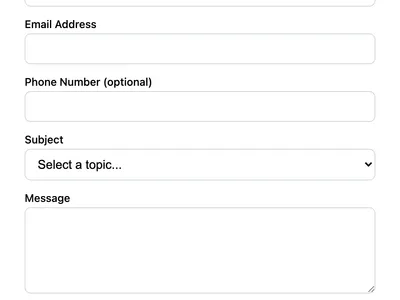
A contact form with phone number, subject dropdown, and message fields. Ideal for business websites that need structured inquiries.
Bug Report Form
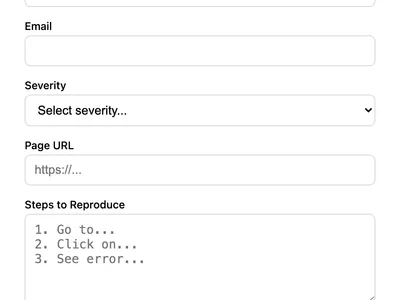
Let users report bugs with severity level, URL, reproduction steps, and optional screenshot. Ideal for software products.
Basic Contact Form
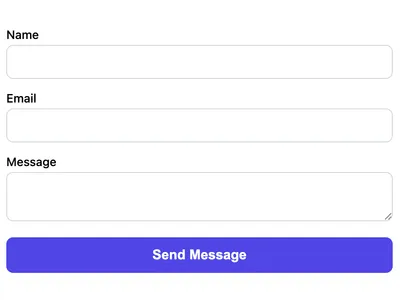
A minimal HTML contact form with name, email, and message fields. Works on any website with no CSS framework required.
Frequently asked questions
Can I make the feedback anonymous?
required attribute from the name and email fields, or remove them entirely. FormWit will still collect the rating, category, and message. How do I analyze the ratings?
Can I add a Net Promoter Score (NPS) question?
Get your form working in 30 seconds
- No credit card required
- Unlimited forms
- 100 submissions/month free