
Form with Hidden Fields (UTM Tracking)
Track where your leads come from by capturing UTM parameters and referrer data in hidden form fields. This template uses JavaScript to read URL query parameters and populate hidden inputs automatically. Every submission includes the source, medium, campaign, and the page URL — giving you attribution data without analytics tools.
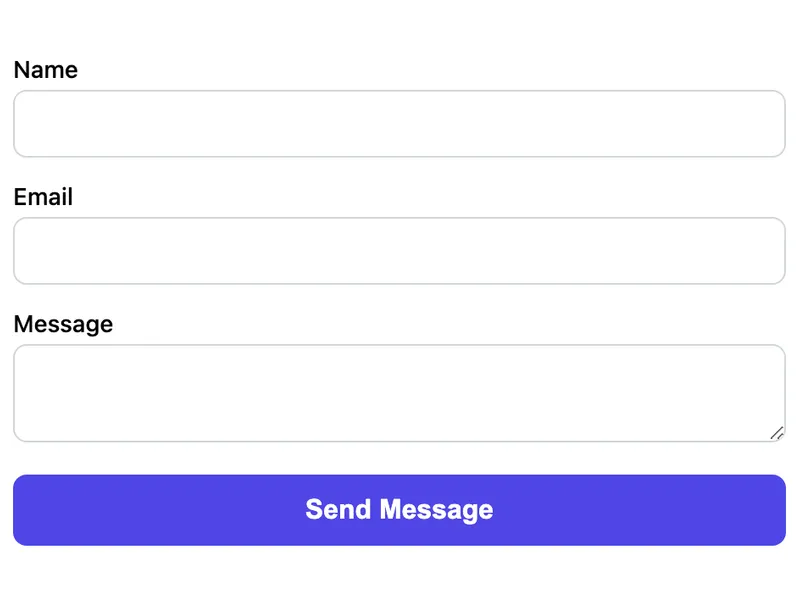
Template Code
HTML
<form action="https://app.formwit.com/api/s/YOUR_FORM_ID" method="POST">
  <label for="name">Name</label>
  <input type="text" id="name" name="name" required />

  <label for="email">Email</label>
  <input type="email" id="email" name="email" required />

  <label for="message">Message</label>
  <textarea id="message" name="message" required></textarea>

  <!-- Hidden tracking fields (auto-populated by JavaScript) -->
  <input type="hidden" id="utm_source" name="utm_source" />
  <input type="hidden" id="utm_medium" name="utm_medium" />
  <input type="hidden" id="utm_campaign" name="utm_campaign" />
  <input type="hidden" id="page_url" name="page_url" />
  <input type="hidden" id="referrer" name="referrer" />

  <!-- Honeypot spam protection -->
  <input type="text" name="_gotcha" style="display:none" tabindex="-1" autocomplete="off" />

  <button type="submit">Send Message</button>
</form>

<script>
  // Capture UTM parameters from the URL
  const params = new URLSearchParams(window.location.search);
  ['utm_source', 'utm_medium', 'utm_campaign'].forEach(key => {
    const el = document.getElementById(key);
    if (el && params.get(key)) el.value = params.get(key);
  });

  // Capture current page URL and referrer
  document.getElementById('page_url').value = window.location.href;
  document.getElementById('referrer').value = document.referrer;
</script>
Want to customize?
Build your own form visually with our free HTML form generator.
Try the Form Generator →Use cases
- Lead forms on pages with paid ad traffic (Google Ads, Facebook Ads)
- Multi-channel marketing campaigns with UTM-tagged links
- Tracking which blog post or landing page generates the most leads
- Attributing form submissions to specific referral sources
Customization tips
- Add more UTM fields like
utm_termandutm_contentfor granular tracking - Combine with the styled or Tailwind templates for a polished look
- Store UTM values in
sessionStorageso they persist across page navigations within the same session - Add a
landing_pagehidden field to capture the first page the visitor landed on
Related templates
Form with Custom Redirect
A contact form that redirects to a custom thank-you page after submission. Uses the _redirect hidden field.
Basic Contact Form
A minimal HTML contact form with name, email, and message fields. Works on any website with no CSS framework required.
AJAX Contact Form (No Page Reload)
Submit the form via JavaScript without a page reload. Shows a success message inline.
Frequently asked questions
Do hidden fields show up in the submission?
Yes. FormWit captures all named fields, including hidden ones. They appear in the dashboard and email notification just like visible fields.
What if there are no UTM parameters in the URL?
The hidden fields will be empty. FormWit still accepts the submission — empty fields are simply omitted from the notification email.
Does this work without JavaScript?
The form itself submits without JavaScript, but the hidden tracking fields won't be populated. The UTM capture script requires JavaScript.
Get your form working in 30 seconds
- No credit card required
- Unlimited forms
- 100 submissions/month free