
Job Application Form
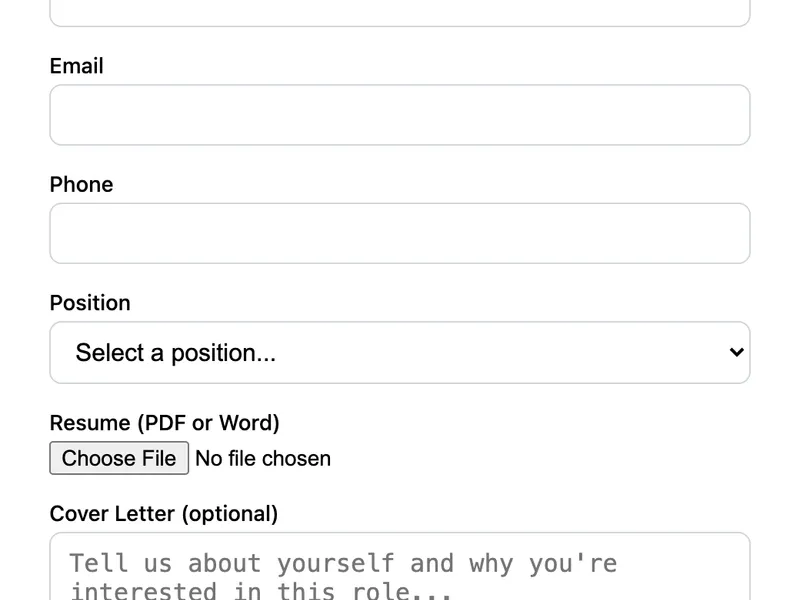
A job application form for small teams and startups. Includes position selection, resume upload, and a cover letter textarea. Simple enough to set up in minutes, no applicant tracking system needed. FormWit stores submissions and emails you when someone applies.
Template Code
<form action="https://app.formwit.com/api/s/YOUR_FORM_ID" method="POST" enctype="multipart/form-data"
  style="max-width:480px;margin:0 auto;font-family:system-ui,sans-serif">
  <h2 style="margin:0 0 4px;font-size:22px;font-weight:700">Apply for a Position</h2>
  <p style="margin:0 0 20px;font-size:15px;color:#6b7280">We're excited to hear from you. Upload your resume and tell us why you're a great fit.</p>

  <div style="margin-bottom:16px">
    <label for="name" style="display:block;margin-bottom:4px;font-weight:500;font-size:14px">Full Name</label>
    <input type="text" id="name" name="name" required
      style="width:100%;padding:10px 12px;border:1px solid #d1d5db;border-radius:8px;font-size:16px;box-sizing:border-box" />
  </div>

  <div style="margin-bottom:16px">
    <label for="email" style="display:block;margin-bottom:4px;font-weight:500;font-size:14px">Email</label>
    <input type="email" id="email" name="email" required
      style="width:100%;padding:10px 12px;border:1px solid #d1d5db;border-radius:8px;font-size:16px;box-sizing:border-box" />
  </div>

  <div style="margin-bottom:16px">
    <label for="phone" style="display:block;margin-bottom:4px;font-weight:500;font-size:14px">Phone</label>
    <input type="tel" id="phone" name="phone"
      style="width:100%;padding:10px 12px;border:1px solid #d1d5db;border-radius:8px;font-size:16px;box-sizing:border-box" />
  </div>

  <div style="margin-bottom:16px">
    <label for="position" style="display:block;margin-bottom:4px;font-weight:500;font-size:14px">Position</label>
    <select id="position" name="position" required
      style="width:100%;padding:10px 12px;border:1px solid #d1d5db;border-radius:8px;font-size:16px;box-sizing:border-box;background:white">
      <option value="">Select a position...</option>
      <option value="Frontend Developer">Frontend Developer</option>
      <option value="Backend Developer">Backend Developer</option>
      <option value="Designer">Designer</option>
      <option value="Marketing">Marketing</option>
      <option value="Other">Other</option>
    </select>
  </div>

  <div style="margin-bottom:16px">
    <label for="resume" style="display:block;margin-bottom:4px;font-weight:500;font-size:14px">Resume (PDF or Word)</label>
    <input type="file" id="resume" name="resume" required accept=".pdf,.doc,.docx"
      style="width:100%;font-size:14px" />
  </div>

  <div style="margin-bottom:16px">
    <label for="cover_letter" style="display:block;margin-bottom:4px;font-weight:500;font-size:14px">Cover Letter (optional)</label>
    <textarea id="cover_letter" name="cover_letter" rows="5" placeholder="Tell us about yourself and why you're interested in this role..."
      style="width:100%;padding:10px 12px;border:1px solid #d1d5db;border-radius:8px;font-size:16px;box-sizing:border-box;resize:vertical"></textarea>
  </div>

  <input type="text" name="_gotcha" style="display:none" tabindex="-1" autocomplete="off" />

  <button type="submit"
    style="width:100%;padding:12px;background:#4f46e5;color:white;border:none;border-radius:8px;font-size:16px;font-weight:600;cursor:pointer">
    Submit Application
  </button>
</form>
Want to customize?
Build your own form visually with our free HTML form generator.
Try the Form Generator →Use cases
- Small team careers page
- Startup hiring without an ATS
- Freelancer or agency contractor intake
- Internship application forms
Customization tips
- Update the position dropdown with your actual open roles
- Add a LinkedIn URL or portfolio field for creative roles
- Make the cover letter required by adding the
requiredattribute - Add a
redirect_tohidden field to redirect to a "thank you for applying" page
Related guide
Want a step-by-step walkthrough? Read the full Serverless Form Guide.
Related templates
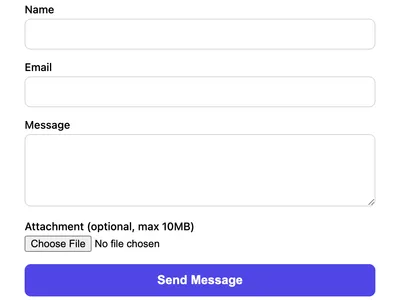
Contact Form with File Upload
A contact form that accepts file attachments. Supports images, PDFs, and documents up to 10MB.
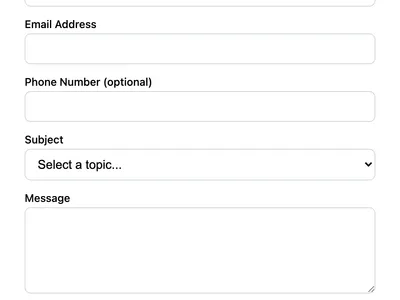
Multi-Field Contact Form
A contact form with phone number, subject dropdown, and message fields. Ideal for business websites that need structured inquiries.
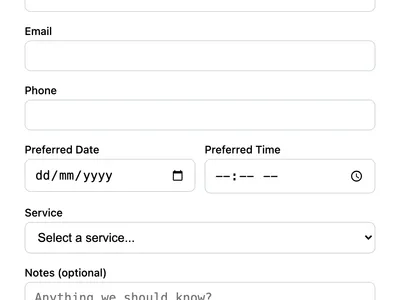
Booking Request Form
Accept appointment or booking requests with date, time, and service selection. Perfect for consultants, salons, and service businesses.
Frequently asked questions
Do I need a paid plan for resume uploads?
Can I add more position options?
<option> elements as you need inside the position <select>. Can this replace an applicant tracking system?
Get your form working in 30 seconds
- No credit card required
- Unlimited forms
- 100 submissions/month free