
Newsletter Signup Form
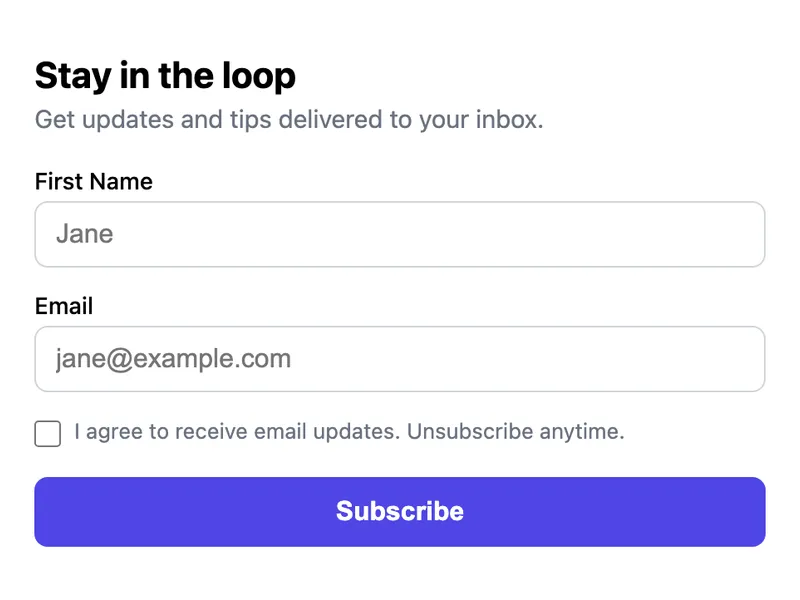
A lightweight newsletter signup form. Collects name, email, and explicit consent without requiring a mailing list service. FormWit stores the submissions so you can export them or review in the dashboard. Perfect for early-stage projects that need to collect signups before committing to a full email marketing platform.
Template Code
<form action="https://app.formwit.com/api/s/YOUR_FORM_ID" method="POST"
  style="max-width:440px;margin:0 auto;font-family:system-ui,sans-serif">
  <h2 style="margin:0 0 4px;font-size:22px;font-weight:700">Stay in the loop</h2>
  <p style="margin:0 0 20px;font-size:15px;color:#6b7280">Get updates and tips delivered to your inbox.</p>

  <div style="margin-bottom:14px">
    <label for="name" style="display:block;margin-bottom:4px;font-weight:500;font-size:14px">First Name</label>
    <input type="text" id="name" name="name" placeholder="Jane"
      style="width:100%;padding:10px 12px;border:1px solid #d1d5db;border-radius:8px;font-size:16px;box-sizing:border-box" />
  </div>

  <div style="margin-bottom:14px">
    <label for="email" style="display:block;margin-bottom:4px;font-weight:500;font-size:14px">Email</label>
    <input type="email" id="email" name="email" required placeholder="jane@example.com"
      style="width:100%;padding:10px 12px;border:1px solid #d1d5db;border-radius:8px;font-size:16px;box-sizing:border-box" />
  </div>

  <div style="margin-bottom:18px;display:flex;align-items:flex-start;gap:8px">
    <input type="checkbox" id="consent" name="consent" value="yes" required
      style="margin-top:3px;width:16px;height:16px" />
    <label for="consent" style="font-size:13px;color:#6b7280;line-height:1.4">
      I agree to receive email updates. Unsubscribe anytime.
    </label>
  </div>

  <input type="text" name="_gotcha" style="display:none" tabindex="-1" autocomplete="off" />

  <button type="submit"
    style="width:100%;padding:12px;background:#4f46e5;color:white;border:none;border-radius:8px;font-size:16px;font-weight:600;cursor:pointer">
    Subscribe
  </button>
</form>
Want to customize?
Build your own form visually with our free HTML form generator.
Try the Form Generator →Use cases
- Blog or content site collecting email subscribers
- Pre-launch landing pages building a waitlist
- Side projects not ready for a full email platform
- Embedded signup forms in website footers or sidebars
Customization tips
- Remove the name field to make it an email-only form for higher conversion
- Change the heading and description text to match your newsletter topic
- Add a hidden field for the signup source:
<input type="hidden" name="source" value="homepage" /> - Change the button color and text to match your brand
Related guide
Want a step-by-step walkthrough? Read the full Embed Contact Form Guide.
Related templates
Basic Contact Form
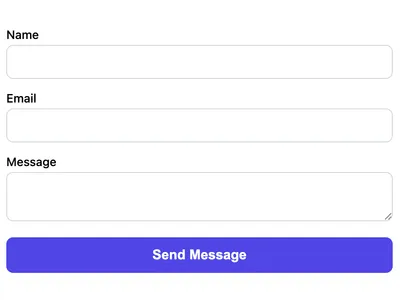
A minimal HTML contact form with name, email, and message fields. Works on any website with no CSS framework required.
AJAX Contact Form (No Page Reload)
Submit the form via JavaScript without a page reload. Shows a success message inline.
Event RSVP Form
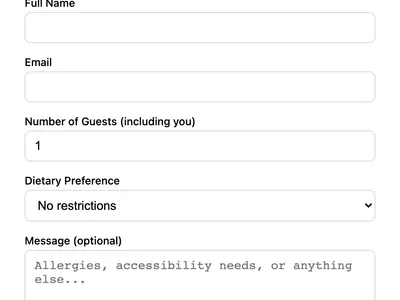
Collect event RSVPs with guest count, dietary preferences, and special requests. Ideal for weddings, meetups, and corporate events.
Frequently asked questions
Can I use this as a waitlist form?
Does FormWit send the actual newsletter emails?
Is the consent checkbox required for GDPR?
Get your form working in 30 seconds
- No credit card required
- Unlimited forms
- 100 submissions/month free