
Quote Request Form
A lead-qualifying form for service businesses. Collects the information you need to prepare a quote: service type, budget range, timeline, and project details. Pre-structured fields save back-and-forth emails and help you prioritize high-value leads.
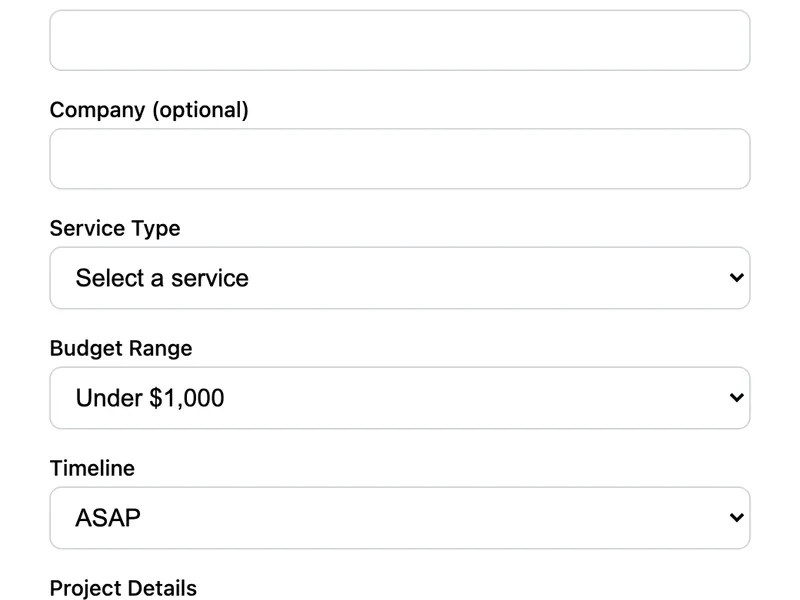
Template Code
HTML
<form action="https://app.formwit.com/api/s/YOUR_FORM_ID" method="POST"
  style="max-width:480px;margin:0 auto;font-family:system-ui,sans-serif">
  <h2 style="margin:0 0 4px;font-size:22px;font-weight:700">Request a Quote</h2>
  <p style="margin:0 0 20px;font-size:15px;color:#6b7280">Tell us about your project and we'll send a quote within 48 hours.</p>

  <div style="margin-bottom:16px">
    <label for="name" style="display:block;margin-bottom:4px;font-weight:500;font-size:14px">Name</label>
    <input type="text" id="name" name="name" required
      style="width:100%;padding:10px 12px;border:1px solid #d1d5db;border-radius:8px;font-size:16px;box-sizing:border-box" />
  </div>

  <div style="margin-bottom:16px">
    <label for="email" style="display:block;margin-bottom:4px;font-weight:500;font-size:14px">Email</label>
    <input type="email" id="email" name="email" required
      style="width:100%;padding:10px 12px;border:1px solid #d1d5db;border-radius:8px;font-size:16px;box-sizing:border-box" />
  </div>

  <div style="margin-bottom:16px">
    <label for="company" style="display:block;margin-bottom:4px;font-weight:500;font-size:14px">Company (optional)</label>
    <input type="text" id="company" name="company"
      style="width:100%;padding:10px 12px;border:1px solid #d1d5db;border-radius:8px;font-size:16px;box-sizing:border-box" />
  </div>

  <div style="margin-bottom:16px">
    <label for="service" style="display:block;margin-bottom:4px;font-weight:500;font-size:14px">Service Type</label>
    <select id="service" name="service" required
      style="width:100%;padding:10px 12px;border:1px solid #d1d5db;border-radius:8px;font-size:16px;box-sizing:border-box;background:white">
      <option value="" disabled selected>Select a service</option>
      <option value="Web Design">Web Design</option>
      <option value="Web Development">Web Development</option>
      <option value="SEO">SEO</option>
      <option value="Branding">Branding</option>
      <option value="Consulting">Consulting</option>
      <option value="Other">Other</option>
    </select>
  </div>

  <div style="margin-bottom:16px">
    <label for="budget" style="display:block;margin-bottom:4px;font-weight:500;font-size:14px">Budget Range</label>
    <select id="budget" name="budget"
      style="width:100%;padding:10px 12px;border:1px solid #d1d5db;border-radius:8px;font-size:16px;box-sizing:border-box;background:white">
      <option value="Under $1,000">Under $1,000</option>
      <option value="$1,000 - $5,000">$1,000 – $5,000</option>
      <option value="$5,000 - $10,000">$5,000 – $10,000</option>
      <option value="$10,000 - $25,000">$10,000 – $25,000</option>
      <option value="$25,000+">$25,000+</option>
    </select>
  </div>

  <div style="margin-bottom:16px">
    <label for="timeline" style="display:block;margin-bottom:4px;font-weight:500;font-size:14px">Timeline</label>
    <select id="timeline" name="timeline"
      style="width:100%;padding:10px 12px;border:1px solid #d1d5db;border-radius:8px;font-size:16px;box-sizing:border-box;background:white">
      <option value="ASAP">ASAP</option>
      <option value="1-2 weeks">1–2 weeks</option>
      <option value="1 month">1 month</option>
      <option value="2-3 months">2–3 months</option>
      <option value="Flexible">Flexible</option>
    </select>
  </div>

  <div style="margin-bottom:16px">
    <label for="details" style="display:block;margin-bottom:4px;font-weight:500;font-size:14px">Project Details</label>
    <textarea id="details" name="details" rows="4" required placeholder="Describe what you need..."
      style="width:100%;padding:10px 12px;border:1px solid #d1d5db;border-radius:8px;font-size:16px;box-sizing:border-box;resize:vertical"></textarea>
  </div>

  <input type="text" name="_gotcha" style="display:none" tabindex="-1" autocomplete="off" />

  <button type="submit"
    style="width:100%;padding:12px;background:#4f46e5;color:white;border:none;border-radius:8px;font-size:16px;font-weight:600;cursor:pointer">
    Request Quote
  </button>
</form>
Want to customize?
Build your own form visually with our free HTML form generator.
Try the Form Generator →Use cases
- Freelance and agency service pages
- Consulting businesses
- Construction and home services
- Any business that provides custom pricing
Customization tips
- Replace the service options with your actual offerings
- Adjust budget ranges to match your typical project sizes
- Add a phone number field if your quoting process involves a call
- Add a
_subjecthidden field with valueNew Quote Requestto organize inbox
Related templates
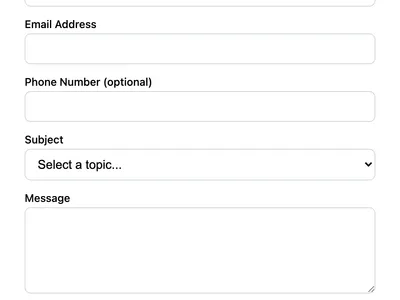
Multi-Field Contact Form
A contact form with phone number, subject dropdown, and message fields. Ideal for business websites that need structured inquiries.
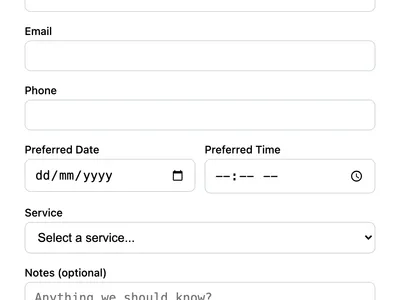
Booking Request Form
Accept appointment or booking requests with date, time, and service selection. Perfect for consultants, salons, and service businesses.
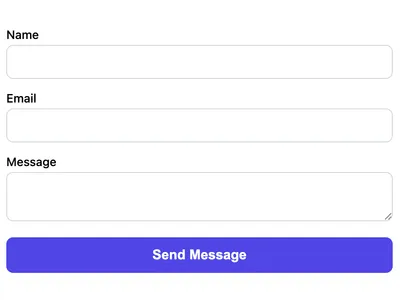
Basic Contact Form
A minimal HTML contact form with name, email, and message fields. Works on any website with no CSS framework required.
Frequently asked questions
Should I require the budget field?
Optional is usually better. Some leads don't know their budget yet. Making it required can reduce submissions. The default template leaves it optional.
Can I send a confirmation email to the person requesting a quote?
Auto-responses are coming soon to FormWit. In the meantime, you can use webhooks to trigger a confirmation email via Zapier or a similar automation tool.
How do I add a file upload for project briefs?
Add
<input type="file" name="brief" accept=".pdf,.doc,.docx">. File uploads require the FormWit Starter plan.Get your form working in 30 seconds
- No credit card required
- Unlimited forms
- 100 submissions/month free