
Support Ticket Form
A structured support ticket form that collects the information your team needs to triage requests. Includes priority level, category selection, and a detailed description field. Use it on your help or support page to replace unstructured emails with organized, searchable submissions.
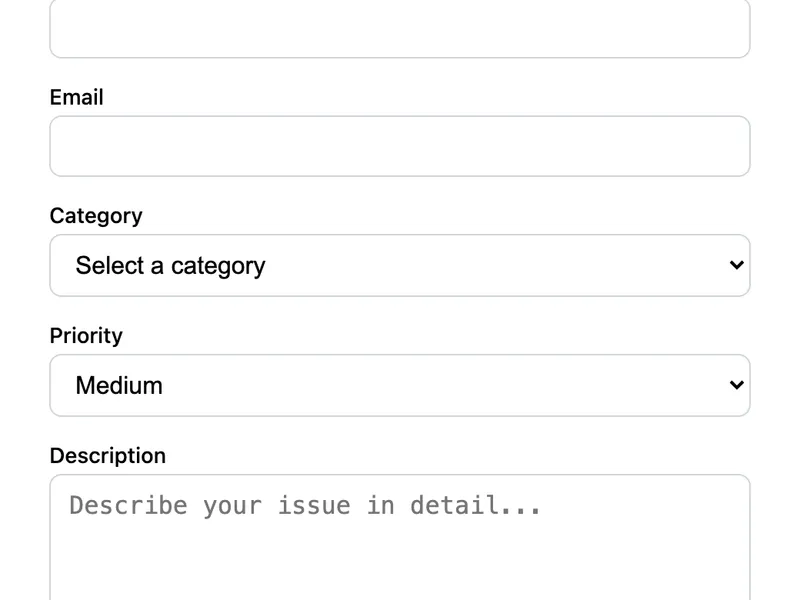
Template Code
HTML
<form action="https://app.formwit.com/api/s/YOUR_FORM_ID" method="POST"
  style="max-width:480px;margin:0 auto;font-family:system-ui,sans-serif">
  <h2 style="margin:0 0 4px;font-size:22px;font-weight:700">Submit a Support Ticket</h2>
  <p style="margin:0 0 20px;font-size:15px;color:#6b7280">We'll get back to you within 24 hours.</p>

  <div style="margin-bottom:16px">
    <label for="name" style="display:block;margin-bottom:4px;font-weight:500;font-size:14px">Name</label>
    <input type="text" id="name" name="name" required
      style="width:100%;padding:10px 12px;border:1px solid #d1d5db;border-radius:8px;font-size:16px;box-sizing:border-box" />
  </div>

  <div style="margin-bottom:16px">
    <label for="email" style="display:block;margin-bottom:4px;font-weight:500;font-size:14px">Email</label>
    <input type="email" id="email" name="email" required
      style="width:100%;padding:10px 12px;border:1px solid #d1d5db;border-radius:8px;font-size:16px;box-sizing:border-box" />
  </div>

  <div style="margin-bottom:16px">
    <label for="category" style="display:block;margin-bottom:4px;font-weight:500;font-size:14px">Category</label>
    <select id="category" name="category" required
      style="width:100%;padding:10px 12px;border:1px solid #d1d5db;border-radius:8px;font-size:16px;box-sizing:border-box;background:white">
      <option value="" disabled selected>Select a category</option>
      <option value="Account">Account Issue</option>
      <option value="Billing">Billing</option>
      <option value="Bug">Bug Report</option>
      <option value="Feature Request">Feature Request</option>
      <option value="Other">Other</option>
    </select>
  </div>

  <div style="margin-bottom:16px">
    <label for="priority" style="display:block;margin-bottom:4px;font-weight:500;font-size:14px">Priority</label>
    <select id="priority" name="priority"
      style="width:100%;padding:10px 12px;border:1px solid #d1d5db;border-radius:8px;font-size:16px;box-sizing:border-box;background:white">
      <option value="Low">Low</option>
      <option value="Medium" selected>Medium</option>
      <option value="High">High</option>
      <option value="Urgent">Urgent</option>
    </select>
  </div>

  <div style="margin-bottom:16px">
    <label for="description" style="display:block;margin-bottom:4px;font-weight:500;font-size:14px">Description</label>
    <textarea id="description" name="description" rows="5" required placeholder="Describe your issue in detail..."
      style="width:100%;padding:10px 12px;border:1px solid #d1d5db;border-radius:8px;font-size:16px;box-sizing:border-box;resize:vertical"></textarea>
  </div>

  <input type="text" name="_gotcha" style="display:none" tabindex="-1" autocomplete="off" />

  <button type="submit"
    style="width:100%;padding:12px;background:#4f46e5;color:white;border:none;border-radius:8px;font-size:16px;font-weight:600;cursor:pointer">
    Submit Ticket
  </button>
</form>
Want to customize?
Build your own form visually with our free HTML form generator.
Try the Form Generator →Use cases
- SaaS product support pages
- Customer service portals
- IT helpdesk ticket intake
- Internal team request forms
Customization tips
- Add or remove category options to match your team's support areas
- Add a file upload field for screenshots (requires Starter plan)
- Use webhooks to forward tickets to Slack or a ticketing system like Linear
- Add a
_subjecthidden field to set the email subject dynamically
Related templates
Bug Report Form
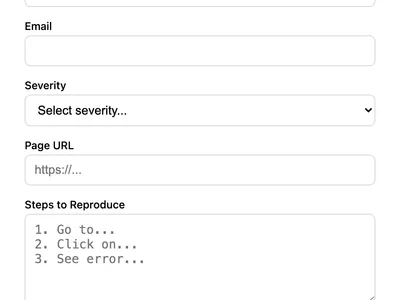
Let users report bugs with severity level, URL, reproduction steps, and optional screenshot. Ideal for software products.
Feedback Form
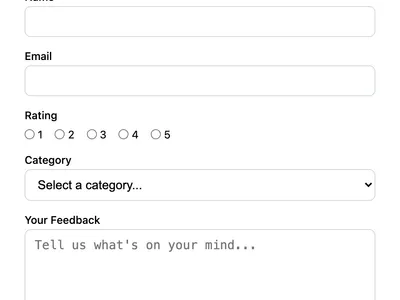
Collect user feedback with a rating, category, and message. Great for product feedback, customer satisfaction, or feature requests.
Basic Contact Form
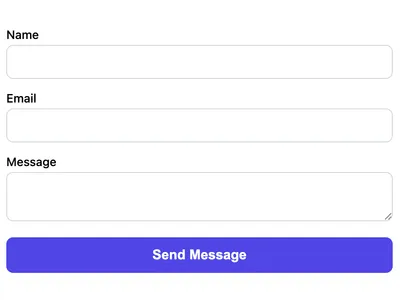
A minimal HTML contact form with name, email, and message fields. Works on any website with no CSS framework required.
Frequently asked questions
Can I route tickets to different email addresses by category?
Not automatically from one form. Create separate FormWit forms for each category, or use webhooks to route submissions to different Slack channels or ticketing systems.
Can I add a file upload for screenshots?
Yes. Add
<input type="file" name="screenshot"> to the form. File uploads require the FormWit Starter plan or higher. How do I track ticket status?
FormWit stores all submissions in the dashboard. For advanced ticket tracking (status, assignment, SLA), forward submissions via webhook to a dedicated ticketing tool.
Get your form working in 30 seconds
- No credit card required
- Unlimited forms
- 100 submissions/month free