
Vue 3 Contact Form
A Vue 3 component using the Composition API (ref, async/await) for form submission. Includes reactive state for loading, success, and error feedback. Works with Nuxt 3, Astro, or any Vue 3 project. For a full walkthrough, see the Vue contact form guide.

Template Code
HTML
<script setup>
import { ref } from 'vue'

const status = ref('idle') // idle | sending | success | error

async function handleSubmit(e) {
  status.value = 'sending'
  const form = e.target
  const data = new FormData(form)

  try {
    const res = await fetch(form.action, { method: 'POST', body: data })
    if (res.ok) {
      status.value = 'success'
      form.reset()
    } else {
      status.value = 'error'
    }
  } catch {
    status.value = 'error'
  }
}
</script>

<template>
  <p v-if="status === 'success'" style="color: #16a34a; font-weight: 600">
    Message sent! We'll be in touch.
  </p>

  <form
    v-else
    action="https://app.formwit.com/api/s/YOUR_FORM_ID"
    method="POST"
    @submit.prevent="handleSubmit"
  >
    <label for="name">Name</label>
    <input type="text" id="name" name="name" required />

    <label for="email">Email</label>
    <input type="email" id="email" name="email" required />

    <label for="message">Message</label>
    <textarea id="message" name="message" required></textarea>

    <!-- Honeypot spam protection -->
    <input type="text" name="_gotcha" style="display: none" tabindex="-1" autocomplete="off" />

    <button type="submit" :disabled="status === 'sending'">
      {{ status === 'sending' ? 'Sending...' : 'Send Message' }}
    </button>
    <p v-if="status === 'error'" style="color: #dc2626">Something went wrong. Please try again.</p>
  </form>
</template>
Want to customize?
Build your own form visually with our free HTML form generator.
Try the Form Generator →Use cases
- Vue 3 single-page applications
- Nuxt 3 static or server-rendered sites
- Astro sites with Vue islands
- Vue-based dashboards and admin panels
Customization tips
- Add Tailwind classes or scoped
<style>for styling - Add a
v-modelon each input for two-way data binding if you need access to field values - Add props for
formIdto make the component reusable across multiple forms - Use
defineEmitsto emit asubmittedevent for parent component integration
Related guide
Want a step-by-step walkthrough? Read the full Vue Contact Form Guide.
Related templates
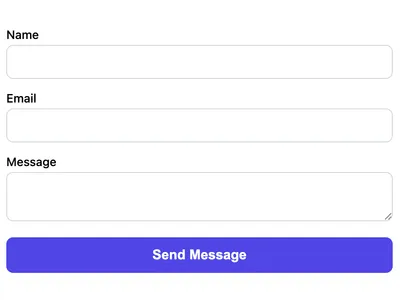
AJAX Contact Form (No Page Reload)
Submit the form via JavaScript without a page reload. Shows a success message inline.
React Contact Form
A React component for contact forms using useState and fetch. Handles submission, loading, and success/error states.
Basic Contact Form
A minimal HTML contact form with name, email, and message fields. Works on any website with no CSS framework required.
Frequently asked questions
Does this work with Nuxt 3?
Yes. Save it as a
.vue file in your components/ directory and use it in any page or layout. No additional configuration needed. Can I use this with the Options API?
Yes. Move the
ref to data() and handleSubmit to methods. The template stays the same. How do I add form validation?
HTML5 attributes (
required, type="email") provide basic validation. For advanced validation, use VeeValidate or check field values in the submit handler before calling fetch.Get your form working in 30 seconds
- No credit card required
- Unlimited forms
- 100 submissions/month free